Kiwi Lunchbox Planner
Enjoy easy, healthy lunchbox recipes for your kids.
Your personalised lunch plan starts here
Tell us your family's dietary needs and we'll generate a full 5-day school lunch plan — with ingredients, estimated costs, and a printable shopping list.
- 1Set allergy filters in the left panelTap the filter icons below to set dietary needs
- 2Click Generate Plan — takes about 5 seconds
- 3Download as PDF or email yourself the shopping list
Example — what your plan looks like

Monday
Rice Paper Rolls
$3.41

Tuesday
Chicken Pesto Panini
$6.44

Wednesday
Sushi Rolls
$3.86

Thursday
Cheesymite Scrolls
$2.95

Friday
Mini Spinach Quiche
$4.78
Example — shopping list
🍞 Bakery
- Rice Paper
- Ciabatta
- Flour
- Pastry Cases
🍚 Grains & Noodles
- Rice Noodles
- Sushi Rice
🍖 Meat & Seafood
- Chicken/Tofu
- Chicken
🥦 Produce
- Herbs
- Tuna/Chicken/Avocado
- Spinach
🥫 Pantry
- Pesto
- Nori
- Mayo
- Marmite
🧀 Dairy & Eggs
- Mozzarella
- Cheese
- Milk
- Butter
- Eggs
- Cream/Milk
- Feta
🛒 General
- Baking Powder
Create Your Perfect Weekly School Lunch Plan
Kiwi Lunchbox is a free school lunch planner for New Zealand families. It builds a five-day plan from a menu set tagged for nut-free, dairy-free, gluten-free, egg-free, vegetarian and vegan diets, and prices every day against Woolworths shelf prices tracked week by week. With the specials option on (the default), lunches are ranked by what they cost after this week's Woolworths and New World specials, so cheaper ones come up more often. Each plan comes with a shopping list and a costed total, so you know the number before you get to the checkout.
Set Dietary Filters
Select any allergy filters (nut-free, dairy-free, gluten-free, egg-free, sesame-free) or dietary preferences (vegetarian, vegan). You can also exclude specific ingredients your child dislikes and add fridge leftovers you'd like to use up.
Generate Your Plan
Click 'Generate Plan' and the planner assembles a five-day menu in seconds, varied across categories rather than scored for nutritional balance. Each day shows a main, snacks, the full ingredient list, the method, and the estimated cost worked out as a portion of each pack.
Download & Shop
Download your plan as a PDF, email it to yourself, or share it. The shopping list is grouped by aisle with Woolworths price estimates — ready to take to the supermarket.
Allergy-Safe Meal Planning
Every meal plan is built around your family's dietary filters. The database of 94 New Zealand recipes is tagged for six filters — nut, dairy, gluten, egg, vegetarian and vegan — and a filtered plan only draws on recipes carrying that tag. A seventh filter, sesame, has no recipe tag: it is read from the allergen labels of the products behind each ingredient. The tag describes the recipe, not the packet: brands reformulate and shared production lines exist, so for a serious allergy the label on the product you buy is the thing that decides, not this filter. That is the same caution given on the FAQ and terms pages, and it is meant literally.
Real Supermarket Prices
Prices come from Woolworths NZ's online catalogue and are refreshed once a week. Each ingredient shows its unit price and portion cost, so you can see what the week is actually worth rather than what you carry home. Pak'nSave is not priced inside the planner — for a store-by-store comparison see the NZ Lunchbox Price Index, which tracks 20 staples at Woolworths and Pak'nSave, adds New World where its price is fresh enough to compare, and says plainly when readings are too far apart in time to compare. Across our full menu set the median lunchbox is about $3.70 a day, or roughly $18.50 for five days.
What a generated week actually looks like
The planner pulls from a library of 94 lunch recipes and 41 snacks, and builds a Monday-to-Friday plan that varies the category each day so your kid is not eating a sandwich five times in a row. Here is one real five-day plan it produced with no allergy filters set — the same output you would get on screen, just frozen here so you can see the shape of it before you generate your own. (It does not ask for your child's age or year level; portions are the same for everyone.)
| Day | Lunch | Type | Core ingredients |
|---|---|---|---|
| Monday | Chicken Wrap | Sandwich | Tortilla, chicken, lettuce, mayo |
| Tuesday | Sushi Rolls | Cold | Sushi rice, nori, tuna or chicken, avocado, mayo |
| Wednesday | Mac 'n Cheese | Hot | Macaroni, cheese sauce, milk |
| Thursday | Egg Salad Sandwich | Sandwich | Bread, boiled eggs, mayo, lettuce |
| Friday | Pizza Muffins | Baking | Flour, milk, cheese, ham, tomato paste |
Each generated lunch comes with a method (Mac 'n Cheese tells you to pack it into a pre-warmed Thermos, the wrap tells you to leave 4cm clear at the edges and wrap it in baking paper), so the plan is not just a list of names — it is something you can actually pack on a Tuesday morning. Click Generate again and you get a different five-day combination, because it picks fresh from the recipe pool each time.
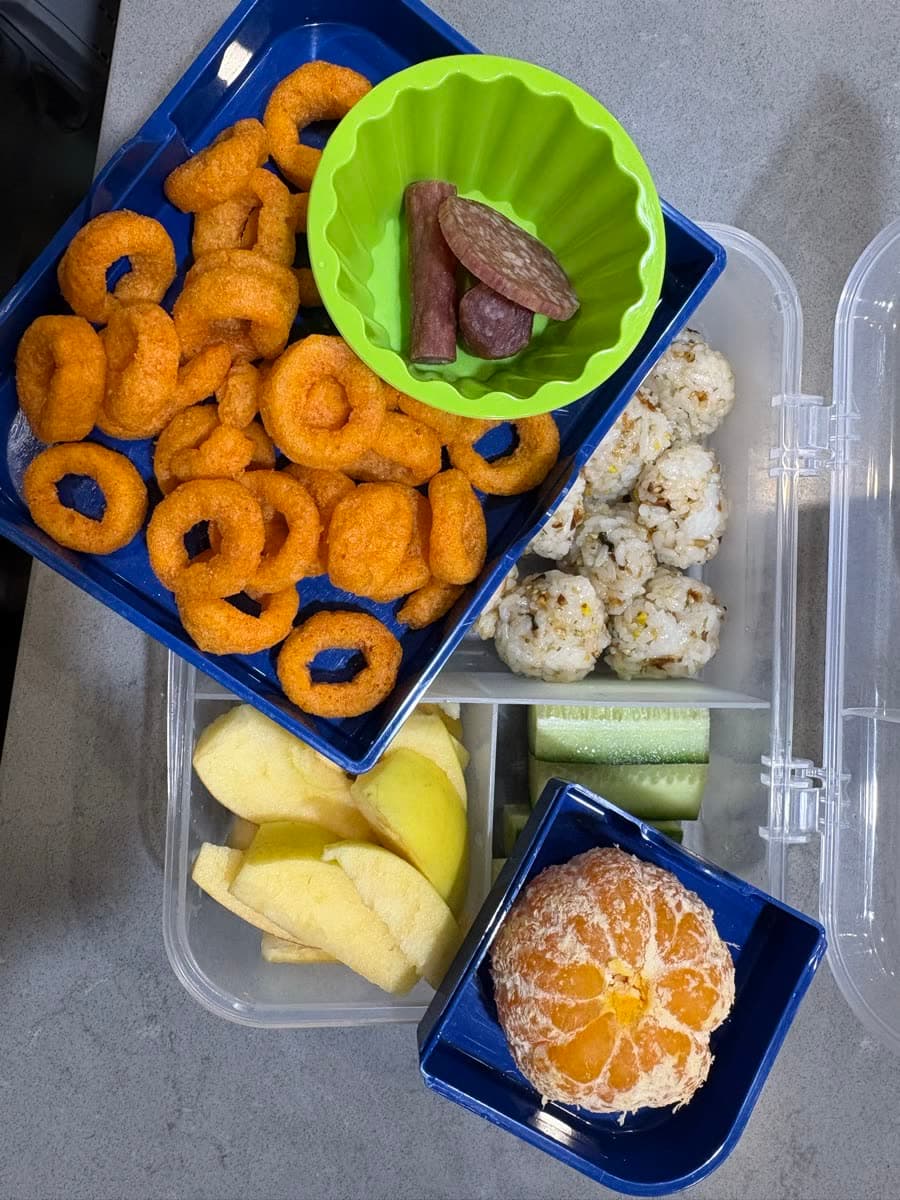
How the allergy filters work — a worked example
The filters are not cosmetic. When you tick a filter, matching recipes are removed from the pool before the week is built, so an excluded ingredient can never slip into a generated plan. A concrete example: switch on the Nut Allergy filter and the planner drops every recipe currently flagged as containing nuts — right now that is 5 recipes:
- Chicken Pesto Panini and Pasta Salad — the pesto contains cashews
- Peanut Butter Sandwich
- Chicken Satay — the satay sauce is peanut-based
- Dairy-Free Chicken Pesto Pasta — pesto again
That leaves 89 recipes eligible, and the week is built only from those. You can stack filters too — Nut Allergy plus Dairy plus Vegetarian — and the pool shrinks accordingly. The flags come from checking each recipe's ingredient list by hand, but they are a planning aid, not a substitute for reading the actual product packaging: a brand of wrap or cheese can change its recipe, and only the on-pack PEAL allergen statement is authoritative. If your child has an anaphylactic allergy, always read the label too.
How the price estimate is calculated
Every plan comes with a rough weekly cost. The prices behind it are read weekly from Woolworths NZ's own online catalogue, and they started from a round I walked in person. On 16 May 2026 I walked the aisles at Pak'nSave Ormiston and Woolworths Ormiston in East Auckland — the two stores I actually shop at — and recorded the shelf price of 20 lunchbox staples by hand. A few of them:
| Item | Woolworths | Pak'nSave |
|---|---|---|
| Wholegrain Bread (700g) | $4.50 | $3.99 |
| Wraps 8-pack | $5.00 | $4.50 |
| Bagels 4-pack | $4.50 | $3.99 |
That May round is where this started, and the table above is that round — a dated snapshot, not today's prices. Since then the specification for Wraps 8-pack has been re-pinned to a product both chains actually carry, so that row is no longer in the current basket under this name. The May figure is kept as recorded rather than restated — see the price index for what it was changed to and why.
What the planner actually prices against is a larger weekly cache of pinned supermarket products — one tracked product per ingredient, re-read each week — not the 20-item table above. That table is the cross-chain comparison, chosen so the same specification can be priced at more than one chain; the planner needs breadth instead. For each recipe it takes the ingredient list, looks up that ingredient's pack price, and multiplies by the share of the pack one lunchbox uses. Add the five days together and you get the weekly figure under your plan. It is an estimate in one specific place — the share of a pack a lunchbox uses is our household's portion, not a published figure — while the pack prices themselves are read from the shop. Both datasets are downloadable as CSV from the NZ Lunchbox Price Index, so the arithmetic can be checked rather than taken on trust.
What you get when you click Generate
One click produces the full five-day plan above, a consolidated shopping list grouped by category (so you are not zig-zagging across the supermarket), a per-recipe method, and the weekly cost estimate. You can download a PDF to stick on the fridge or send to a partner — each day's lunch with its ingredients, estimated cost and calories, plus the shopping list grouped by category (the methods stay on screen). If you create a free account you can star favourite lunches so they show up more often. No sign-up is required just to generate and download — the account only exists to keep your favourites across devices.